CMS / VMS Video & Security Management
Multi-brand VMS · Cloud central management · Large on-premises CMS
Whether you need an enterprise VMS that unifies mixed camera brands, a serverless cloud operations platform, or a high-capacity dedicated CMS, we plan and support the system around your sites.
Enterprise video and security management (VMS / CMS)
A VMS (Video Management System) handles recording, playback, permissions and video walls.
A CMS (Central Management System) brings multiple sites, access control, alarms and guard tours into one command layer.
We recommend one platform or a hybrid mix based on camera brands, site count and IT capacity, and can plan it with existing
CCTV, AI video analytics and VSaaS cloud recording.
How do I choose the right platform?
We offer more than one platform, and hybrid deployments are possible. We first review the cameras and number of sites you already have.
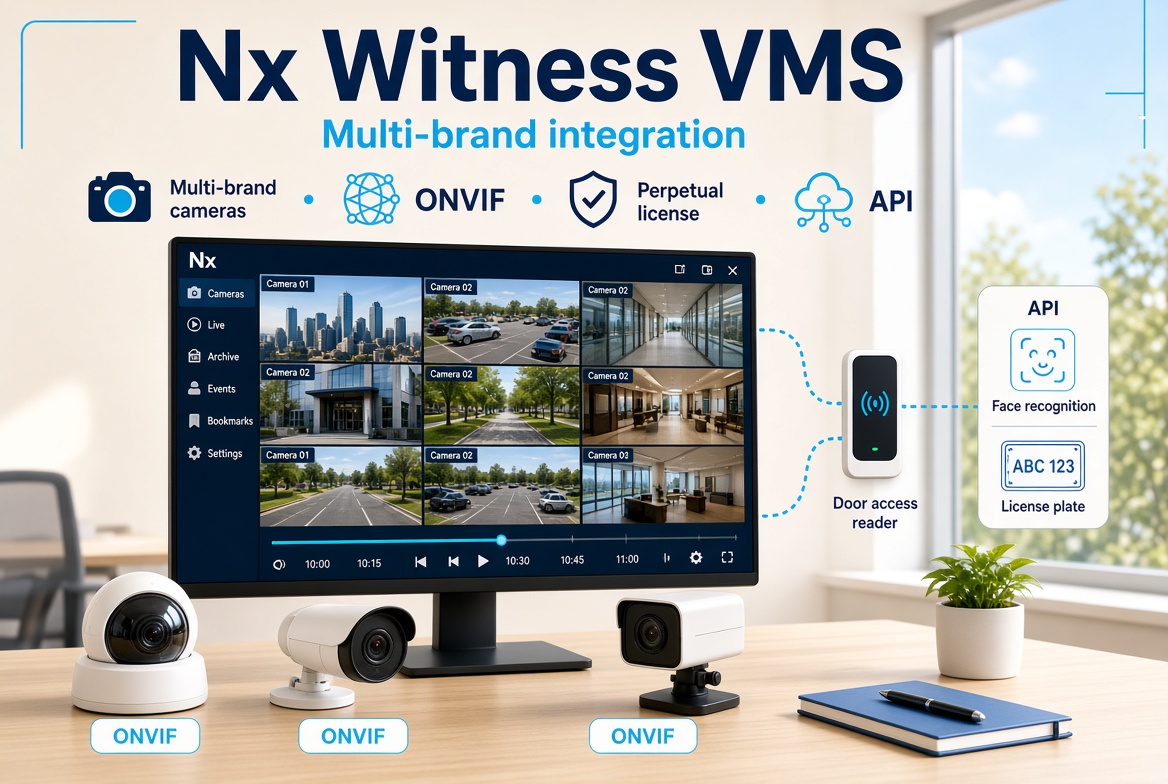
Nx Witness VMS
- You already run mixed camera brands
- You need an open ONVIF architecture
- You prefer a one-off perpetual licence
- You need APIs for AI and access control

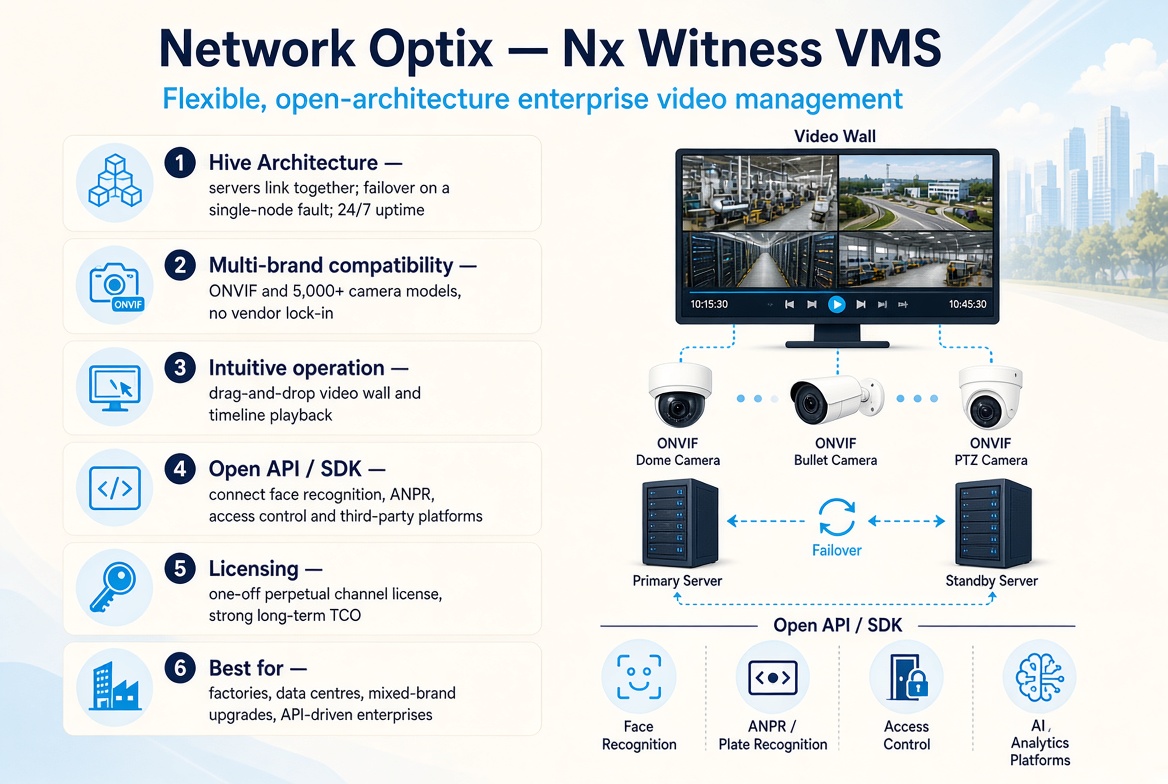
Network Optix — Nx Witness VMS
A flexible, open-architecture enterprise video management system.
- Hive Architecture: servers interconnect so a single-node fault is taken over automatically, keeping the system running 24/7.
- High multi-brand compatibility: ONVIF and 5,000+ camera models, so you are not locked to one vendor.
- Intuitive operation: drag-and-drop video walls and timeline playback, with a short learning curve.
- Open API / SDK: connect face recognition, licence-plate recognition, access control and third-party platforms.
- Licensing: one-off perpetual licences, with a strong long-term total cost of ownership (TCO).
- Best for: factories, data centres, mixed-brand upgrades, and organisations that need third-party API integration.
Hik-Connect Cloud VMS
- You do not want to build a server room
- Several stores must share one app
- You need maps and role-based access
- An annual subscription is acceptable

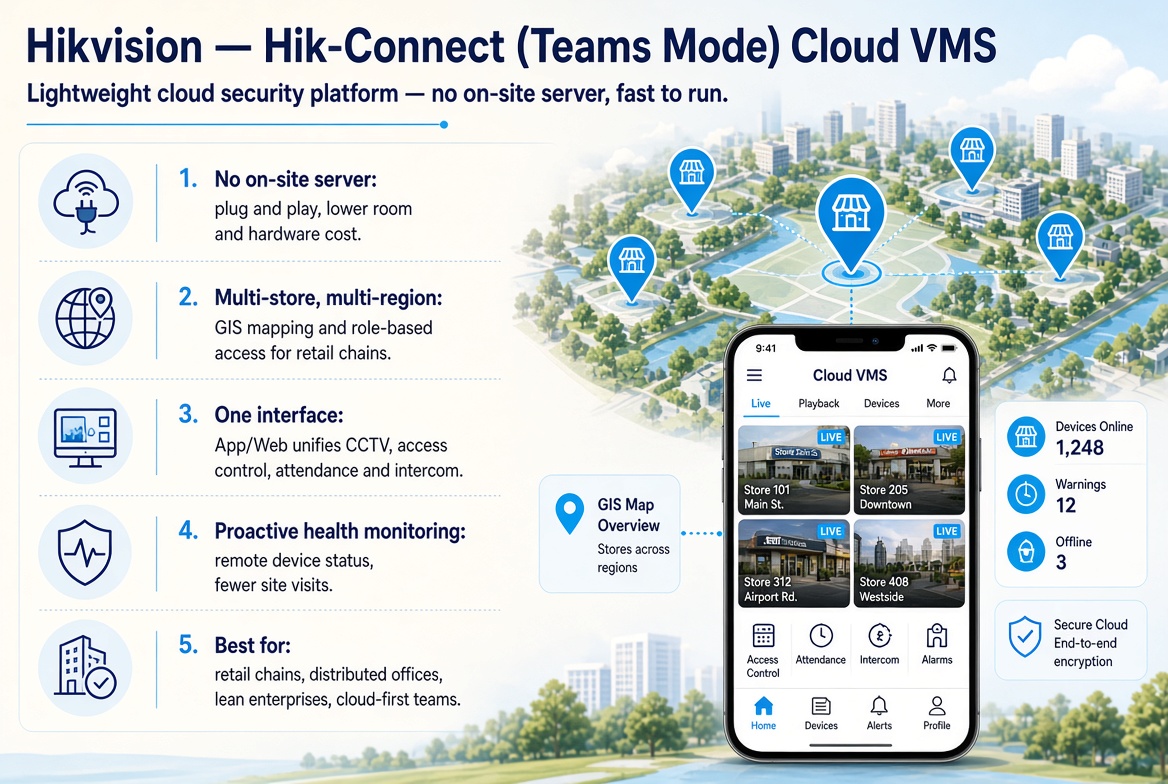
Hikvision — Hik-Connect (Teams Mode) Cloud VMS
A lightweight cloud security platform with no hardware barrier and fast day-to-day operations.
- No on-site server: plug and play, with far lower upfront room and server cost.
- Multi-store, multi-region control: GIS mapping and multi-level permissions for retail chains.
- Cross-system integration: one App / Web interface for CCTV, access control, attendance and intercom.
- Proactive health monitoring: check device status remotely and cut on-site repair visits.
- Best for: retail chains, distributed offices, lean enterprises, and managers who want cloud operations.
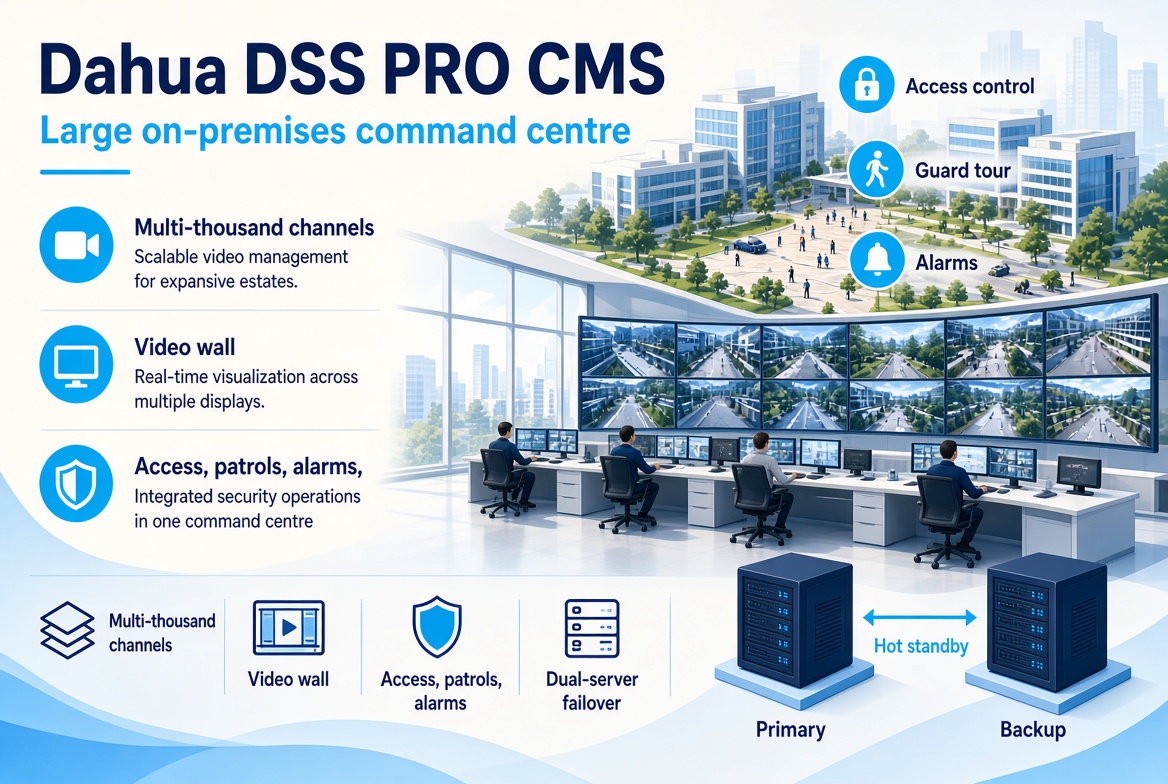
Dahua DSS PRO CMS
- Campus- or estate-scale channel counts
- You need a video-wall control room
- Access, patrols and alarms in one system
- Hot-standby dual servers for reliability
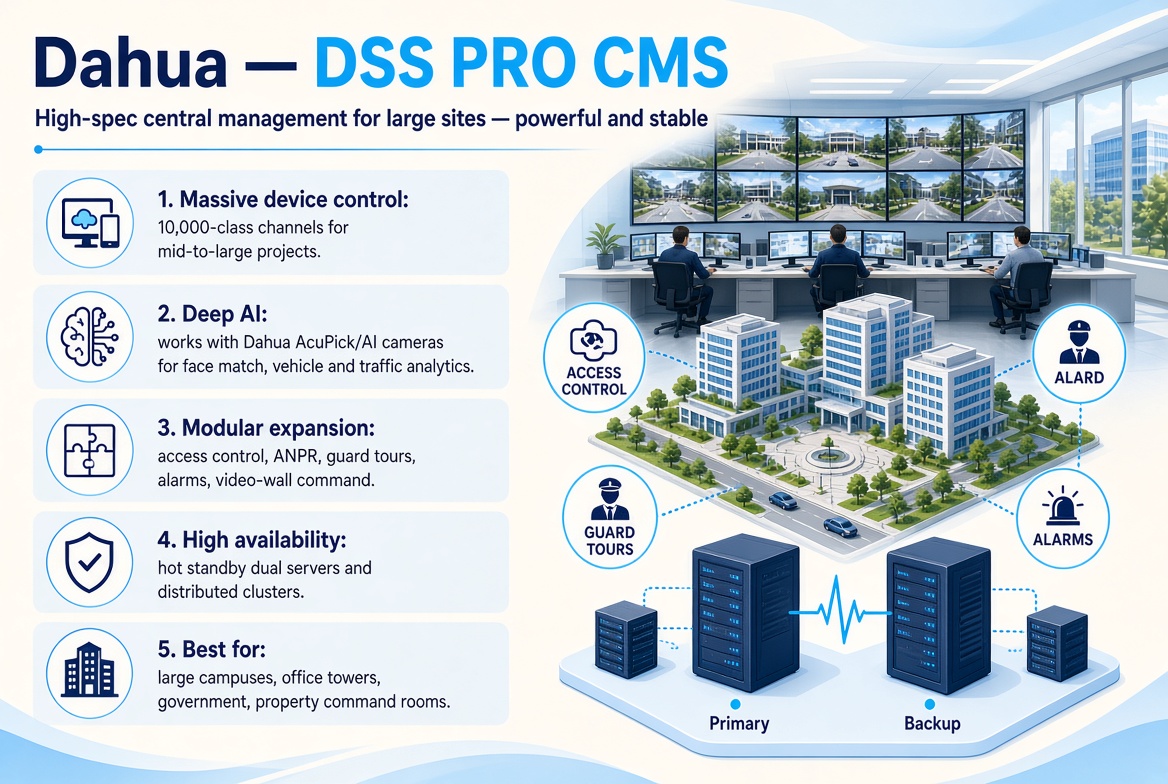
Dahua — DSS PRO CMS
A high-spec central management platform built for large sites — powerful and stable.
- Massive device control: 10,000-class channel capacity for mid-to-large projects.
- Deep AI: works with Dahua AcuPick / AI cameras for accurate face matching, vehicle and traffic analytics.
- Modular expansion: access control, ANPR, guard tours, alarms and video-wall command rooms.
- High availability: hot-standby dual servers and distributed cluster deployment.
- Best for: large campuses, office towers, government bodies and property command rooms.
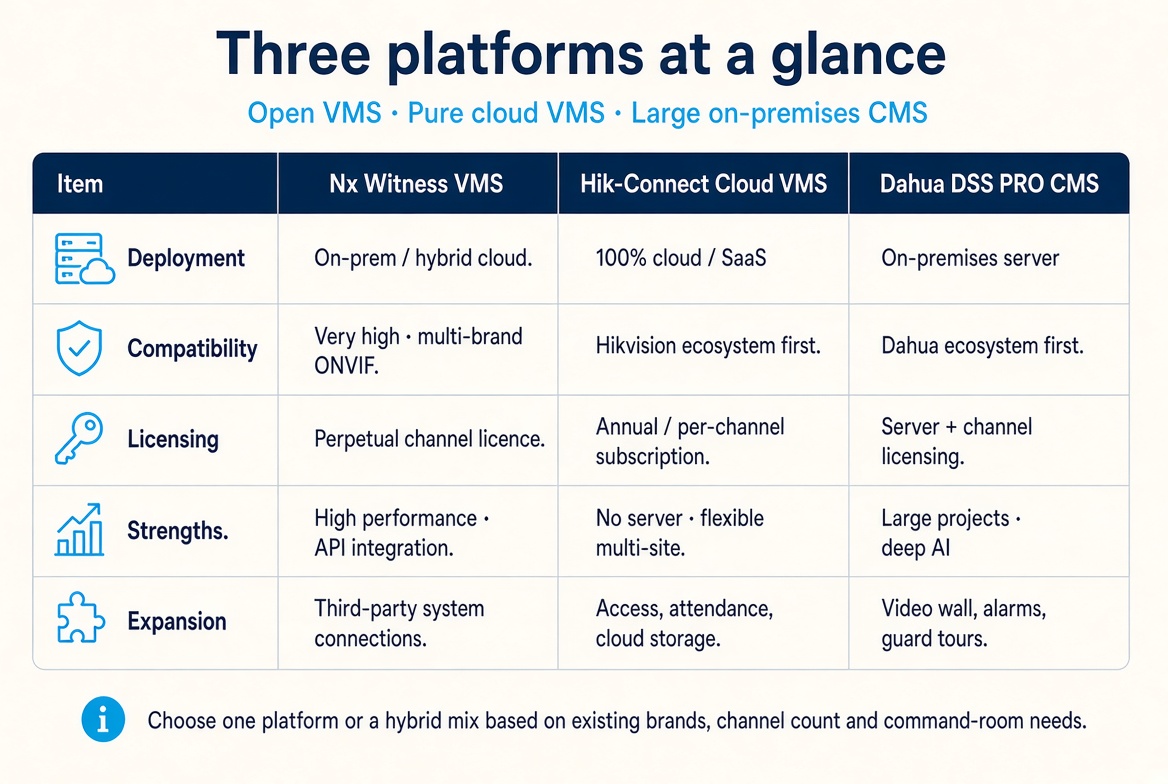
How to choose a platform
Mixed camera brands, a perpetual licence and APIs for AI or access control — start with Nx Witness.
Multi-store chains, no on-site server and an annual subscription — start with Hik-Connect Cloud.
A large campus or estate command room with video walls plus access, patrols and alarms — start with DSS PRO.
Licence terms follow the vendor policy and written quotation at the time.
Why have us plan the platform?
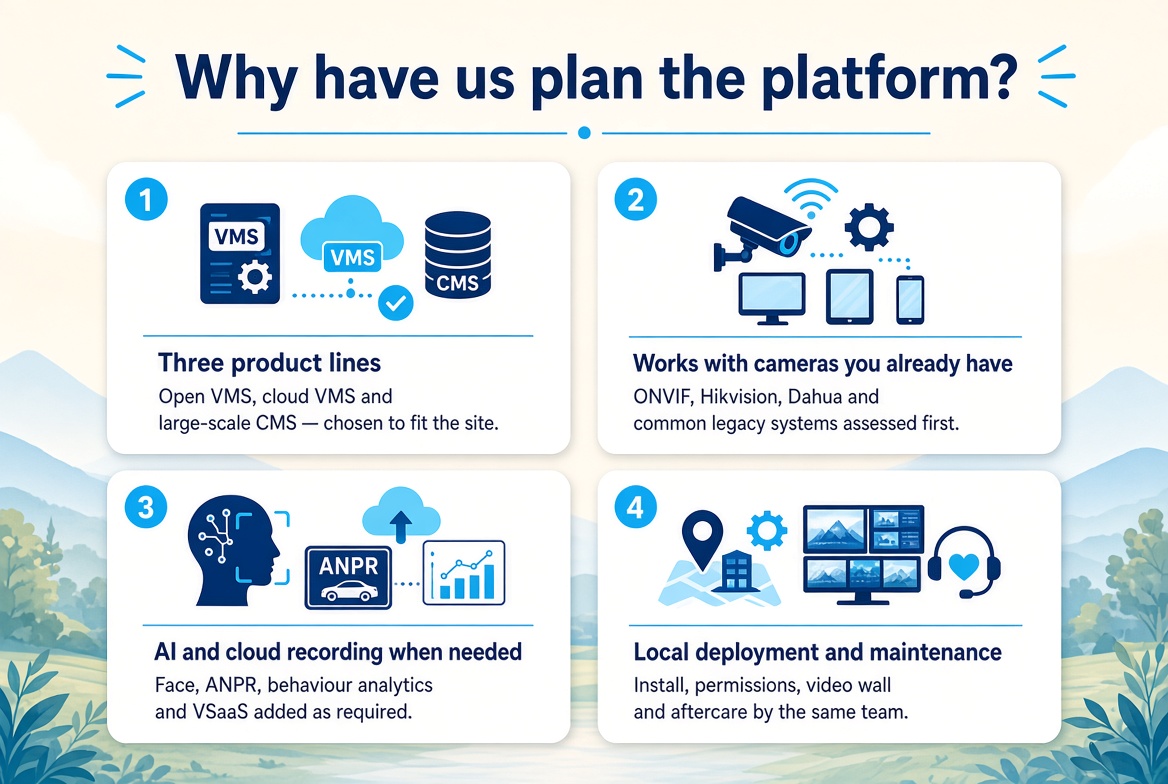 Three product lines
Open VMS, cloud VMS and large-scale CMS — chosen to fit the site
Works with cameras you already have
ONVIF, Hikvision, Dahua and common legacy systems assessed first
AI and cloud recording when needed
Face, ANPR, behaviour analytics and VSaaS added as required
Local deployment and maintenance
Install, permissions, video wall and aftercare by the same team
Industries and sites
🏭 Factories
🖥️ Data centres
🛍️ Retail chains
🏢 Office towers
🏗️ Large campuses
🏛️ Government
🏘️ Property command rooms
🗺️ Multi-site organisations
A simple 4-step process
1. Needs review
Existing brands, channel count, multi-site needs, control room, access / AI
2. Platform advice
Nx Witness, Hik-Connect, DSS PRO, or a hybrid
3. Deploy and integrate
Server or cloud setup, permissions, video wall, APIs / access control
4. Training and care
Operator training, failover tests, licensing and maintenance
Frequently asked questions
What is the difference between a VMS and a CMS?
A VMS manages recording, playback and permissions. A CMS is typically used to bring multiple systems and sites into one centre, often including access control, alarms, guard tours and video walls.
If we already use Hikvision or Dahua cameras, must we stay on the same vendor platform?
Not necessarily. Hik-Connect or DSS PRO is usually smoother if you want to stay in that ecosystem and manage cloud stores. If the site already mixes brands, Nx Witness ONVIF support is often more flexible.
Can we avoid an on-site server?
Yes — Hik-Connect (Teams Mode) Cloud VMS is an option. Large sites with unstable networks or a local video wall are still better on-premises or hybrid.
Is licensing perpetual or annual?
Nx Witness is typically a perpetual channel licence. Hik-Connect Cloud is typically a subscription. DSS PRO is typically server plus channel licensing. The written quotation and vendor policy at the time apply.
Can it work with existing AI and access control?
Yes. Nx Witness uses open APIs. Hikvision and Dahua connect access control, attendance, ANPR and face modules inside their own ecosystems. We confirm the integration scope before deployment.
Ask for a CMS / VMS platform review
Tell us the camera brands, channel count, number of sites and whether you need a command room or access control. We will recommend Nx Witness, Hik-Connect or DSS PRO accordingly.


